貯める · tameru · to save up

Know exactly what’s safe to spend today.

Tameru takes your pay, bills, card balances and savings goals and turns them into one number: how much you can spend right now without coming up short.

Safe to spend today$114.27
Left to Nov 30$3,199.56
Tameru's Home screen for Jordan: $114.27 safe to spend today, $3,199.56 left to Nov 30 across a Scotiabank Momentum, an RBC ION+ and chequing

A bank balance doesn’t know rent is due on the 1st. Tameru does.

No.01

One number, every time you open it

Home shows what’s safe to spend today, with rent, bills, goals and a buffer already set aside before your next pay. Your cards sit in a stack right above it, and the things you buy every week are one tap away.
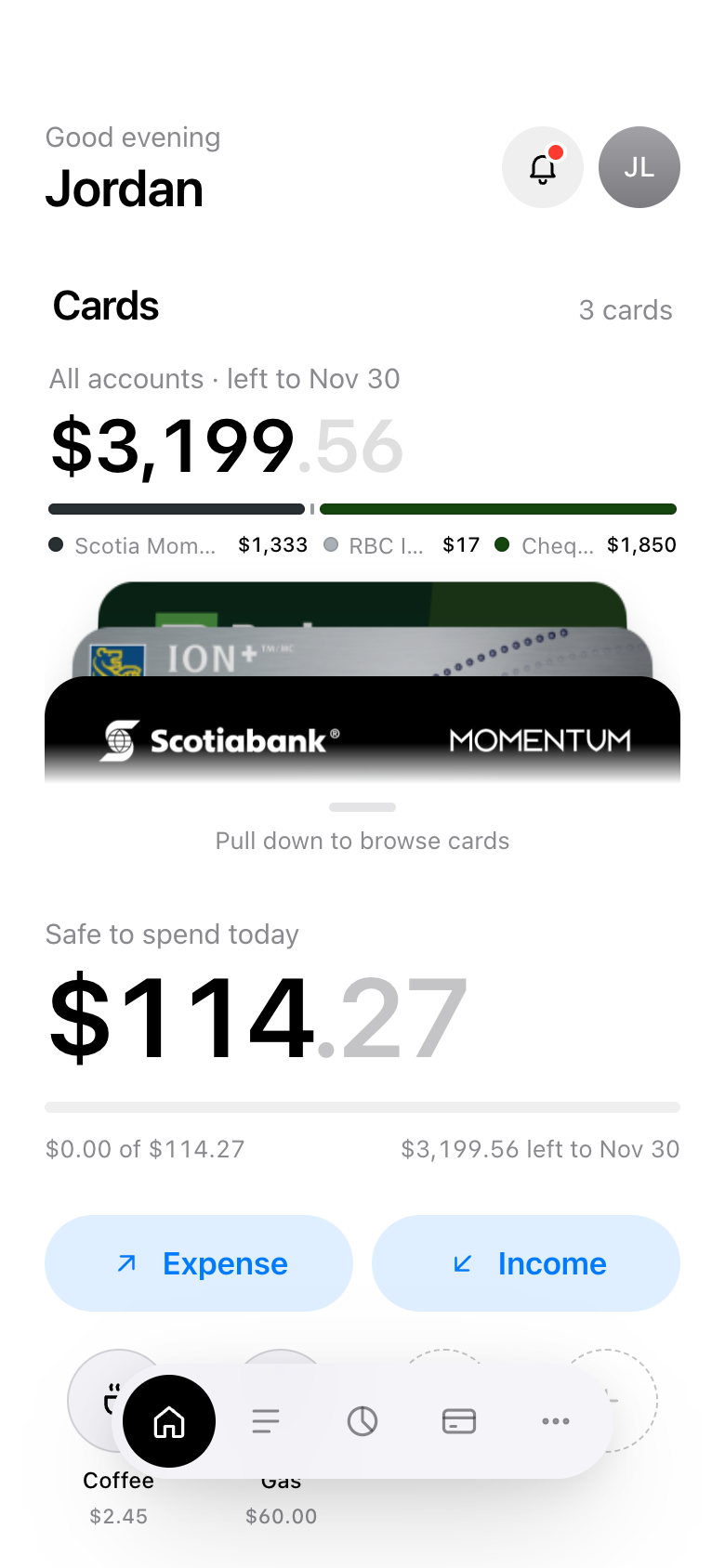
Home: the card stack with what’s left on each card, $114.27 safe to spend today, Expense and Income, and quick adds for coffee and gas
No.02

Every dollar, by day

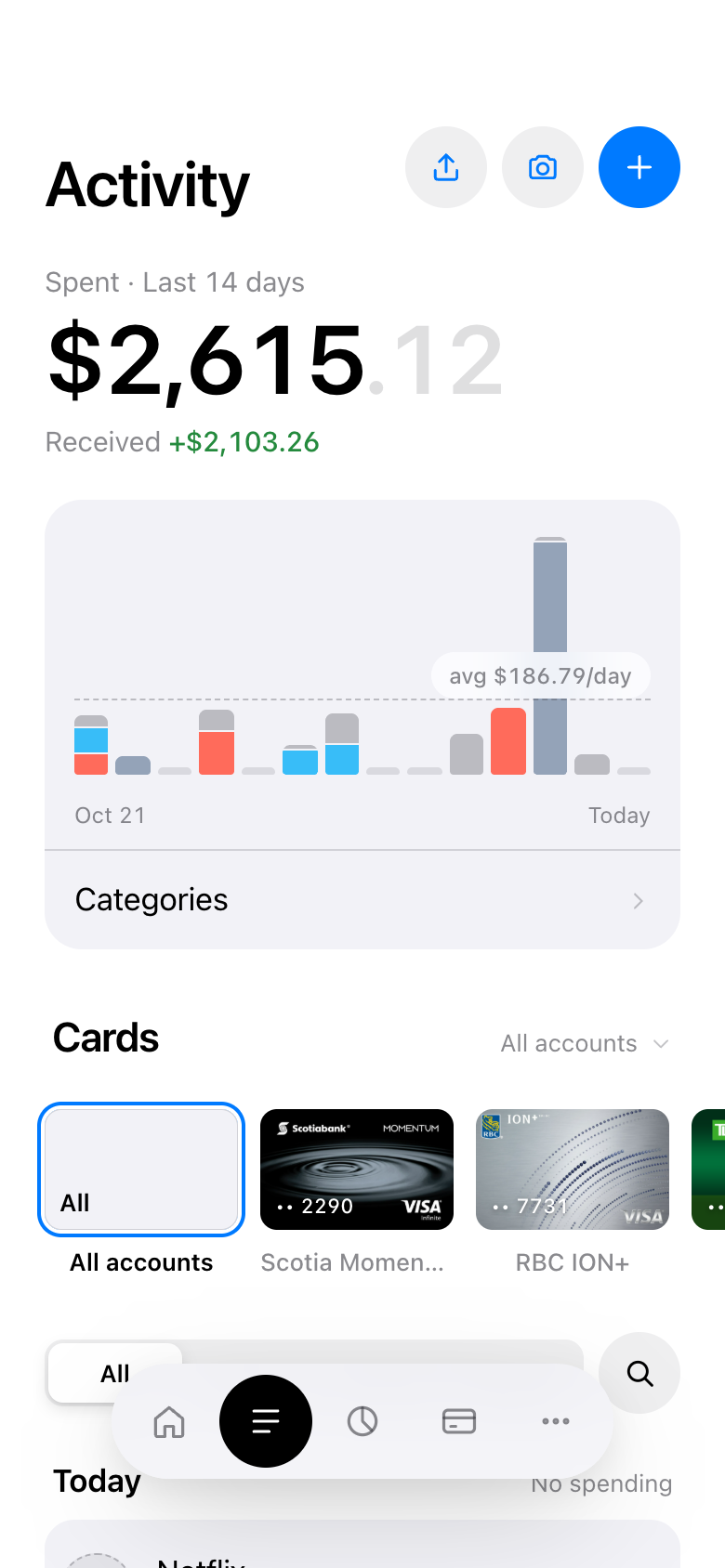
Activity shows the last two weeks at a glance: a bar for each day, split by category, next to what came in. Below, every entry grouped by day. Pick a card, search, filter, add from a receipt photo, or export it all as a CSV.

Activity: $2,615.12 spent over the last 14 days and $2,103.26 received, a bar per day, and a row of cards to filter by
No.03

Every card and account in one place

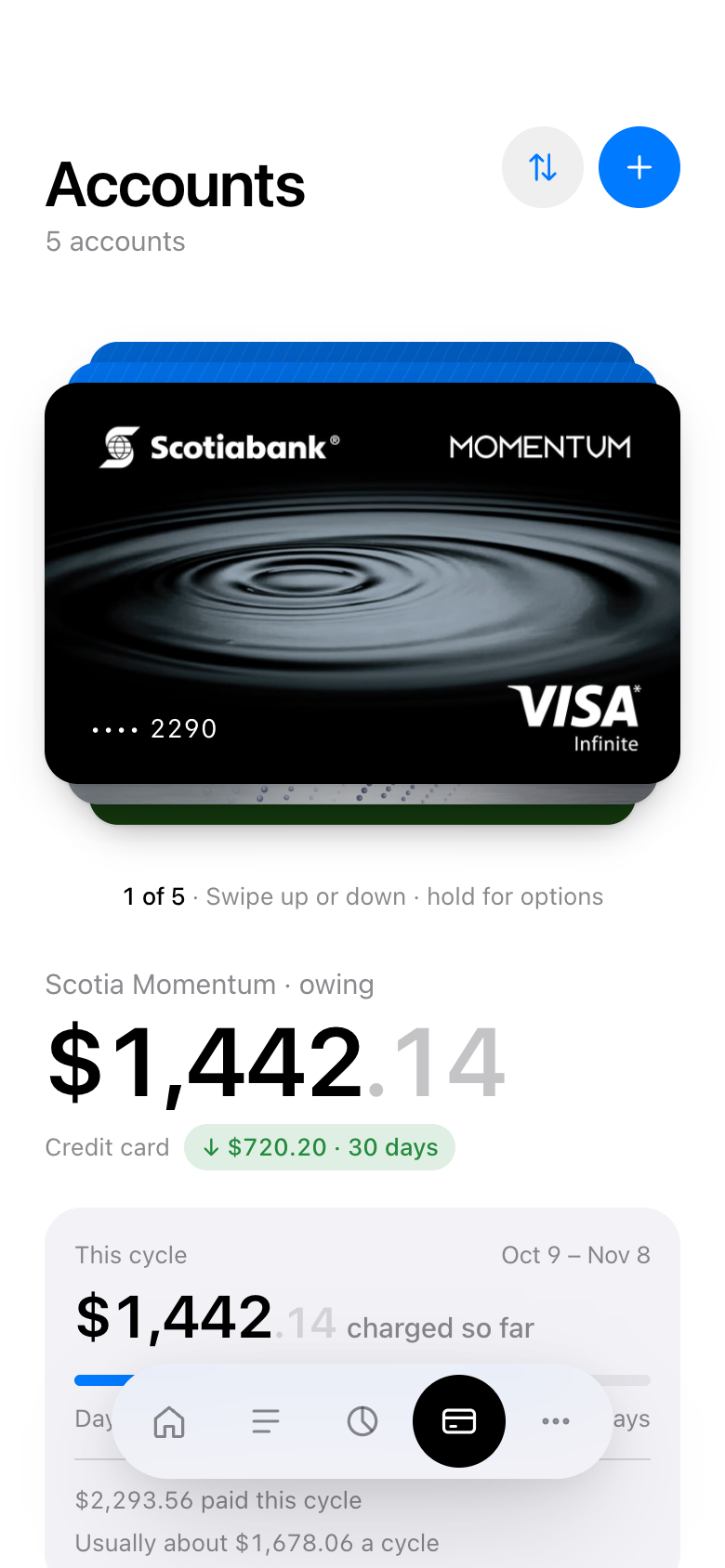
Chequing, savings with interest, and credit cards with their real card art. Each card shows its statement cycle, what to pay and by when, every past statement, how much of the limit you’re using, and what the next statement will likely be.

Accounts: a Scotiabank Momentum Visa with $1,442.14 owing, down $720.20 over 30 days, and this statement cycle, Oct 9 to Nov 8

Plan · Nov 1 – Nov 30

Give every dollar of your pay a job.

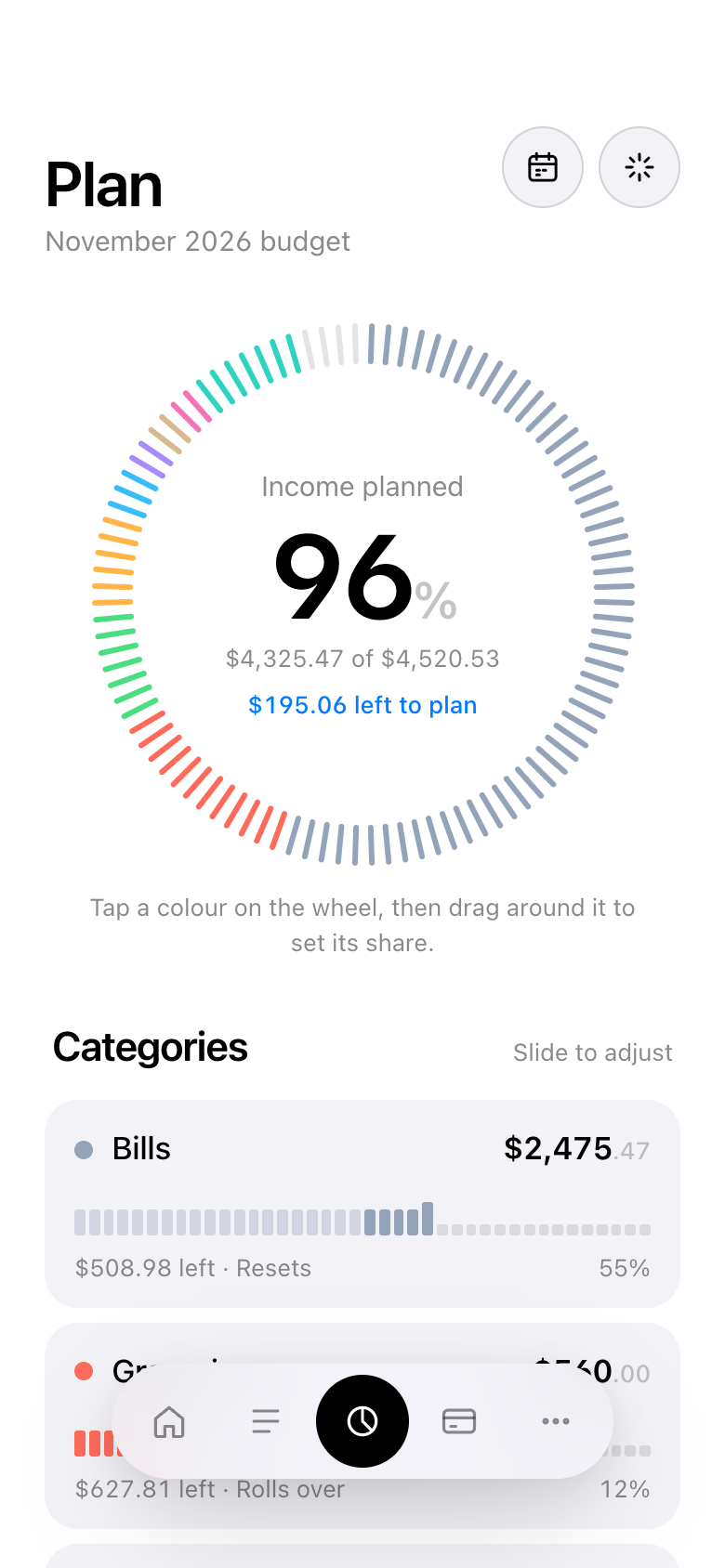
Your income is a dial of 100 ticks. Each category and goal takes its share, in dollars or as a percentage, and comes off the top, so the number on Home is only what’s truly free.

The Plan screen: 96% of income planned, $4,325.47 of $4,520.53, with the dial and categories

Quick adds

Four slots on Home for the things you buy all the time. Tap once and it’s logged, with undo.

Spending at a glance

What went out over the last two weeks, day by day and by category, next to what came in. Snap a receipt and Tameru reads the store, total and date on your phone.

Your actual cards

Pick your card from the catalog and it shows up with its real art. Add its limit, rate and a few past statements and you get its full history and outlook.

Receipts

Snap it. It’s logged.

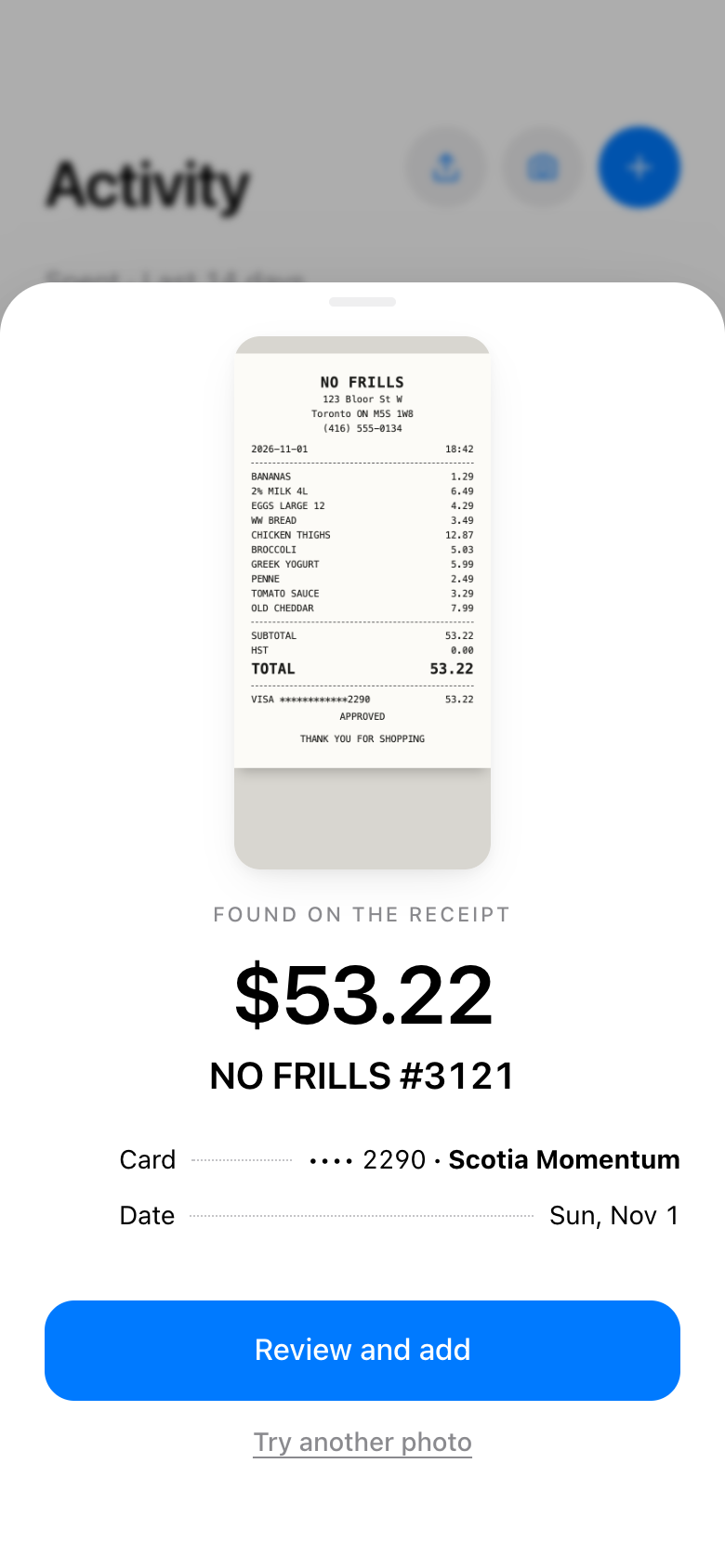
Take a photo of the receipt. Tameru reads the store, total, card and date right on your phone. Nothing is uploaded.

  1. Point at the receiptFrom Activity, tap the camera.
  2. Read on your phoneStore, total, card and date, found offline.
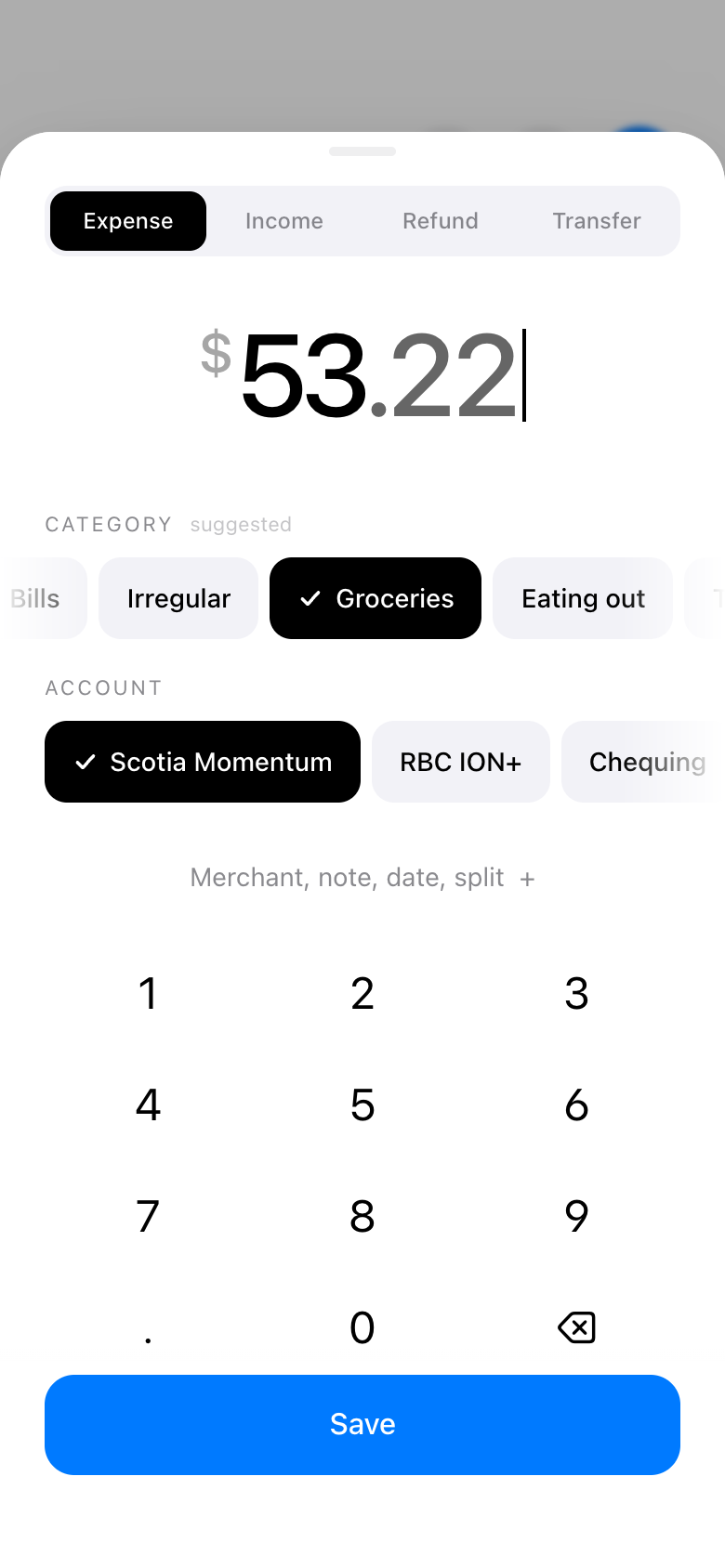
  3. Check it and addThe amount, category and card are filled in.
Tameru found $53.22 at No Frills #3121, paid with the Scotiabank Momentum ending 2290, on Sun Nov 1 The Add sheet filled in: $53.22, Groceries suggested, Scotiabank Momentum

Your money stays on your phone. No servers, no sign-up, no bank login.

Everything you enter lives on this device and keeps working on the subway with no signal. Lock it with a passcode or Face ID, and back it all up to a file whenever you like. Read the privacy policy.

Free to use, for good.

Tameru

For your phone · no account

$0.00forever

No account · No bank login · Works offline

Everything included

  • Safe to spend, per day
  • Plan by dollars or percent
  • Bills, paydays and repeat charges
  • Savings goals with milestones
  • Quick adds and receipt photos
  • Credit cards with due dates
  • Passcode and Face ID lock
  • Backup file and CSV export
Download Tameru

Free · No account · Adds to your Home Screen in seconds

Questions

Does it connect to my bank?

No. You enter your balances once, then log spending with quick adds, a receipt photo or by hand. Nothing ever asks for a bank password.

Where is my data stored?

Only on your phone, in the app’s own storage. There are no Tameru servers holding your data and no account to sign in to.

Is it on the App Store?

Tameru is a web app you add to your Home Screen from the browser. Once it’s there it opens full screen and works offline, like any other app.

What happens if I lose my phone?

Your data lives on the device, so make a backup from More → Settings whenever you like. A backup file restores everything on a new phone.

How is safe to spend worked out?

Spendable balances, plus pay still coming before the period ends, minus bills, goal contributions, money still planned in categories and your buffer. Tap the number in the app to see your own breakdown.

Open Tameru It’s free